Made for Speeches
Give the speech, not a reading.
Put the speech on a lectern, a stand or a teleprompter glass. Rehearse with the camera on and watch yourself back, then deliver it in prompt-only mode.
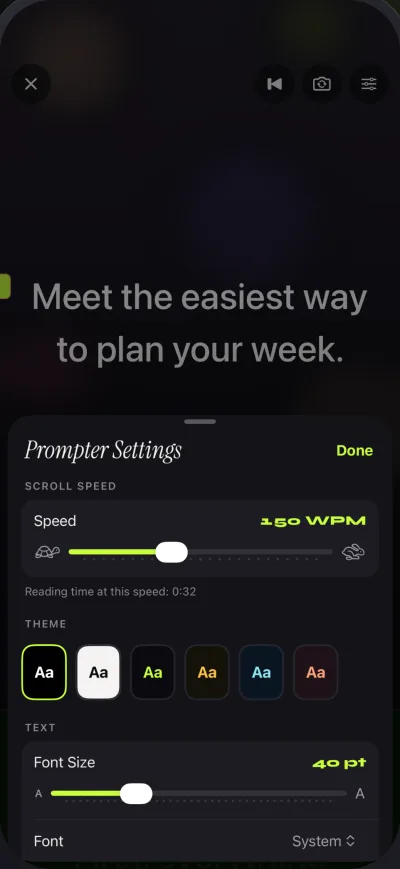
How to
Rehearse, then deliver.
- Time itSet the speed you want to speak at. The editor tells you how long the speech runs at that pace.
- Rehearse on cameraRecord a run-through with the front camera and watch it back in Recordings.
- Deliver in prompt-only modeThe camera stays off. Only the text scrolls, in large type.
- Use glass if you have itWith Pro, mirror the text for a beam-splitter teleprompter so it reads correctly in the glass.
Settings to try
A starting point for a lectern.
Mirror modes and keyboard or page-turner control are part of Pro. Only the text flips in mirror mode, never a recording. Compare plans.
- ModePrompt only
- Text sizeLarge, set from where you stand
- Countdown5 or 10 seconds
- End of scriptThe scroll stops on its own
Keys Pro
- Space ReturnPlay or pause
- ↑ ←Back one line
- ↓ →Forward one line
- PgUp PgDnBack or forward one page
- + -Faster or slower
- RBack to the start
- EscClose the prompter
Look at the lens. Read every word.
Free to download for iPhone and iPad. Pro is optional.
Download on the App Store
Free download. No account needed.